How to Place a Pending Order in MT4 Platform Software
These are pre-set transactional instructions to either acquire an asset at a premium to the current market rate or to offload it at a discount to the current market rate.
- Buy Stop An order to buy at a level above the price.
- Sell Stop An order to sell at a price below the price.
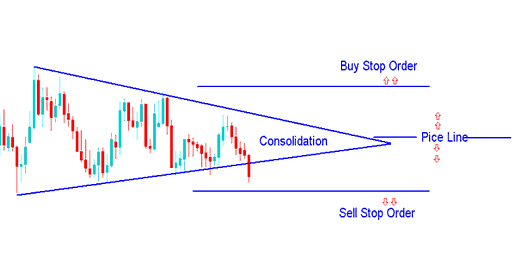
Buy Entry and Sell Entry Orders
Traders call these orders pending orders too. They help traders who spot setups like the consolidation chart pattern. These traders don't want to sit and watch prices all day until a breakout happens. So, they place pending orders above and below the gold price. If the price breaks out in either direction, one order triggers. This opens and runs a buy trade or a sell trade on its own.
Buy Stop
In the subsequent illustrations, a buy stop order was initiated to purchase at a price point exceeding the prevailing rate.
The buying and selling rate then headed as much as hit buy prevent, & afterwards fee persisted to move upward.
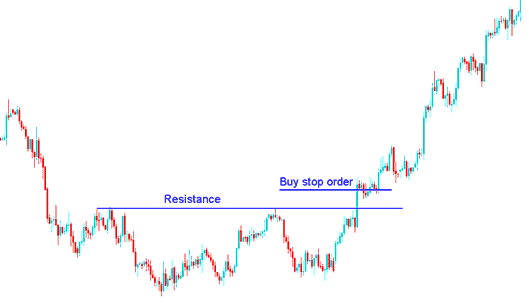
Place a buy stop order above resistance to set a pending buy stop on MT4.
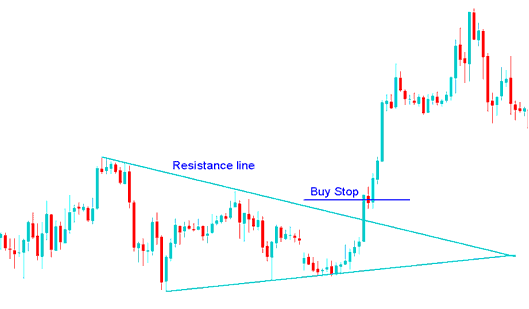
Setting Buy Stop Order in a Break Out - How to Place a Pending Order Buy Stop Order in MT4 Platform
A Buy trade was made from what's shown above when the price went past a line of resistance in the first picture and when the price went up after a period of price going up and down in a small range.
Sell Stop
In the illustration provided underneath, a sell stop order was initiated to sell at a price point beneath the prevailing market rate.
The trading price subsequently declined to hit the sell stop, followed by continued downward price movement.
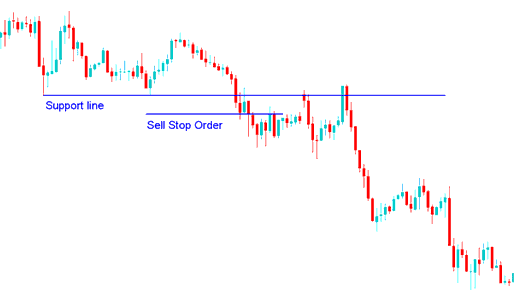
Setting a Sell Stop Order Below a Support Level
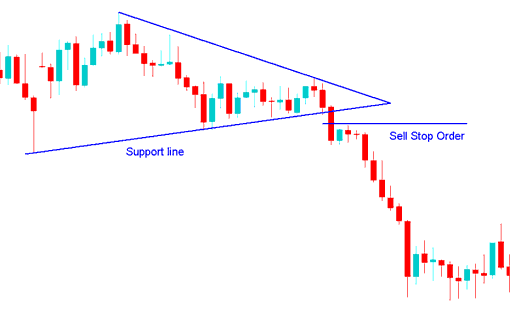
Pending Sell Order Set in a Price Break Out
A sell gold trade came about from the sell stop order mentioned above after the support line was broken following a period of consolidation.
How to tell the difference between stop orders & limit orders
Start with one simple idea. Stop orders go above and below the current price.
In the mean time Download MT4 platform and practice setting these orders on a Demo Trading Account.
Setting Buy and Sell Stop Orders on MT4 Software
Open the Trading Chart, right-click on the xauusd Chart, select 'New Order', and then adhere to the instructions provided below.
Step1: Choose Pending order like as shown below
Step2: Select Pending order Menu as Shown Below
Step3: Choose Buy Stopor Sell Stop
Step4: Click 'Place' Order
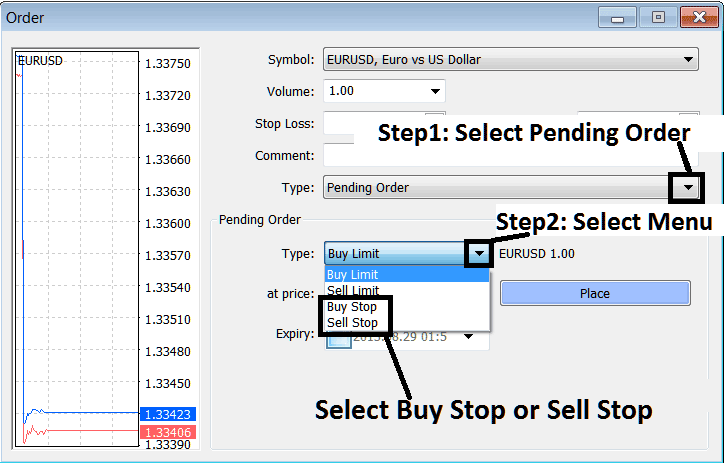
Instructions for Placing These Contingent Orders on the MT4 Platform - How to Add a Pending Order in MT4.
Review Further Instruction Sets & Programs:
- S&P Pip Calculation for S&P 500 Stock Indices
- How to Use MT5 Trend Trigger Factor TTF Indicator
- How Do You Set WallStreet 30 Index on MetaTrader 5 Platform?
- Buy Limit XAU USD Order and Sell Limit XAU/USD Order
- McGinley Dynamic Gold Indicator Analysis in Gold